

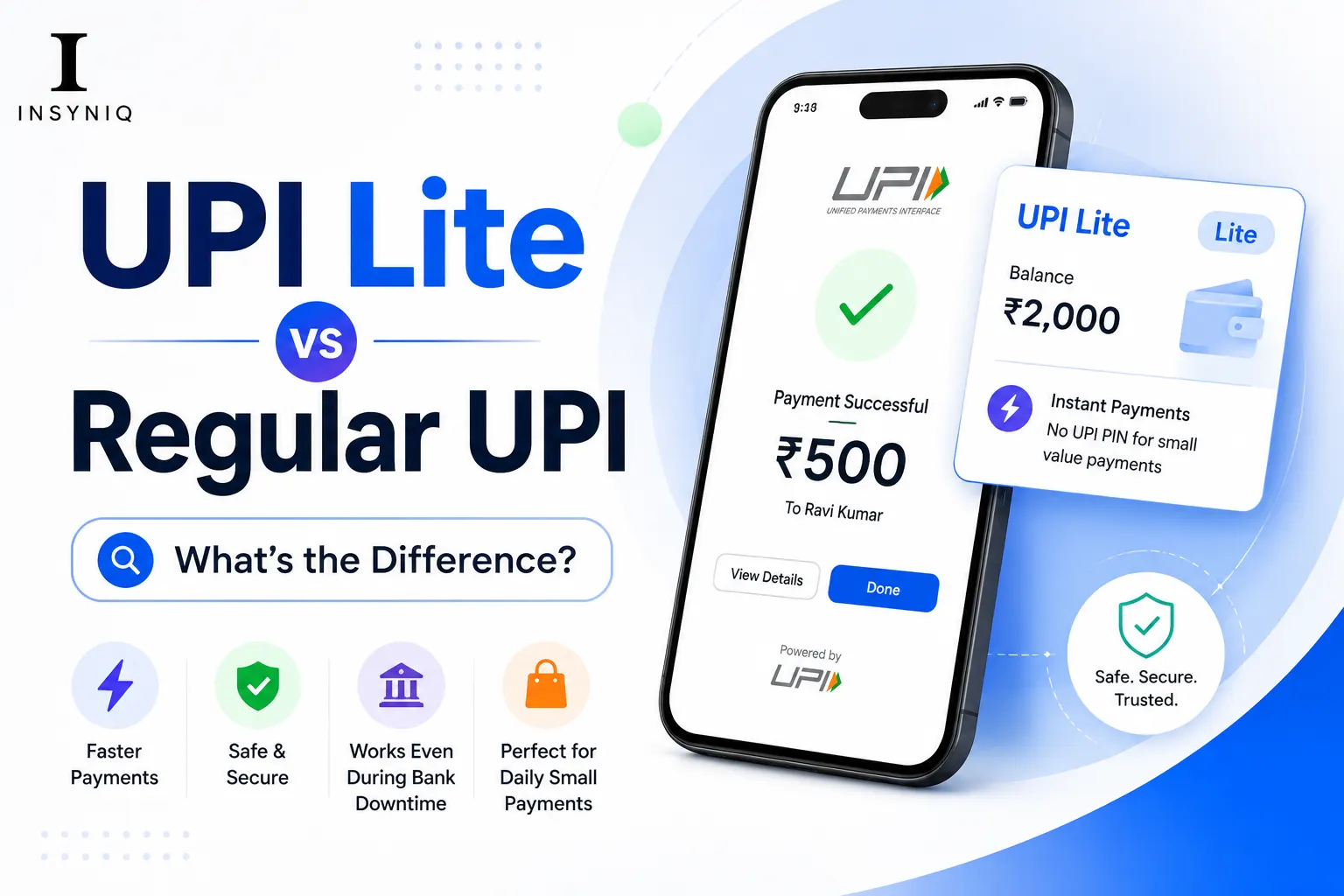
What is UPI Lite? UPI Lite is a simplified version of the Unified Payments Interface (UPI) launched by the National Payments Corporation of India (NPCI) in September 2022. It allows small-value payments up to Rs 500 per transaction without requiring a UPI PIN, using a pre-loaded on-device wallet instead of directly debiting your bank account.
Quick Answer: UPI Lite vs Regular UPI:
- UPI Lite processes payments up to Rs 500 without entering the UPI PIN
- Regular UPI processes payments of any amount with PIN verification
- UPI Lite uses a pre-loaded on-device wallet separate from your bank account
- The maximum UPI Lite balance you can load at one time is Rs 2,000
- UPI Lite works offline for small payments without an internet connection
- Regular UPI requires an active internet and a bank server connection for every transaction
- UPI Lite is faster because it skips bank server communication for small payments
- Both are free to use with zero transaction charges for users
- UPI Lite is supported on Google Pay, PhonePe, Paytm, BHIM, and most UPI apps
- Activate UPI Lite inside your existing UPI app without any new registration
Digital payments in India have transformed how people pay for everyday things. According to the National Payments Corporation of India (NPCI), UPI processed over 13 billion transactions in a single month in 2026, making it the world’s most used real-time payment system.
But as UPI grew, one problem became clear. Small payments like a Rs 20 chai, Rs 50 auto fare, or Rs 100 grocery bill were slowing down because every transaction needed bank server verification and a PIN entry. UPI Lite was built specifically to solve this problem.
This guide explains exactly what UPI Lite is, how it differs from regular UPI, how to activate it, and when to use which one.
What Is UPI Lite?
UPI Lite is a feature within the existing UPI ecosystem launched by NPCI in September 2022 in partnership with the Reserve Bank of India. Unlike regular UPI, which processes every payment through your bank’s server in real time, UPI Lite stores a small balance directly on your phone and uses that balance for payments under Rs 500 without needing a PIN or bank server connection for every transaction.
Think of UPI Lite as a digital version of the loose change in your pocket. Just as you would not go to the ATM every time you need to pay Rs 30 for a bus ticket, UPI Lite lets you make small payments instantly from a pre-loaded balance on your device.
According to NPCI data, approximately 40 percent of all UPI transactions in India are for amounts below Rs 200. UPI Lite was designed specifically to make these small transactions faster, simpler, and more reliable.
How Does Regular UPI Work?
To understand UPI Lite properly, it helps to understand how regular UPI works first.
When you make a regular UPI payment:
- You open your UPI app and enter the amount
- You enter your 4 or 6-digit UPI PIN1
- Your app sends the payment request to your bank’s server
- Your bank verifies your PIN and available balance
- The bank debits your account and sends confirmation to the recipient’s bank
- The recipient’s bank credits the amount
- Both parties receive confirmation
This entire process takes 2 to 10 seconds and requires an active internet connection and your bank’s server to be available. During peak hours, bank server congestion can cause payment failures, which is why many Indians have experienced UPI payment failures during festivals or month-end salary days.
How Does UPI Lite Work?
UPI Lite works differently by removing the bank server from the small payment process entirely.
When you activate UPI Lite:
- You load a balance from your bank account into UPI Lite (minimum Rs 100, maximum Rs 2,000)
- This balance is stored in an on-device wallet linked to your UPI app
- When you make a payment under Rs 500, the amount is deducted from your UPI Lite balance directly
- No PIN entry needed, no bank server communication required
- The transaction completes in under 1 second
- Your bank account is not touched until you reload your UPI Lite balance
According to RBI guidelines, UPI Lite transactions are processed as near-offline transactions, meaning they do not require real-time bank server communication. This dramatically reduces transaction failure rates for small payments.
What Is the Difference Between UPI Lite and Regular UPI?
| Feature | UPI Lite | Regular UPI |
|---|---|---|
| Transaction limit | Up to Rs 500 per transaction | No upper limit (bank dependent) |
| PIN required | No | Yes, every transaction |
| Processing speed | Under 1 second | 2 to 10 seconds |
| Internet required | No (near-offline) | Yes, always |
| Balance storage | On-device wallet | Directly in bank account |
| Maximum wallet balance | Rs 2,000 | Not applicable |
| Transaction history | Not in bank passbook | Reflected in bank statement |
| Failure rate | Very low | Higher during peak hours |
| Best for | Small daily payments | Large or important payments |
| Available on | Select UPI apps | All UPI apps |
What Are the Transaction Limits for UPI Lite?
According to NPCI guidelines updated in 2026:
Per transaction limit: Rs 500 maximum per single UPI Lite payment
Wallet balance limit: Rs 2,000 maximum balance you can hold in UPI Lite at any time
Daily transaction limit: No specific daily limit — you can make unlimited transactions as long as your UPI Lite balance is sufficient
Loading limit: You can reload your UPI Lite wallet multiple times per day, each time up to Rs 2,000
Minimum load amount: Rs 100 per reload
These limits are set by the Reserve Bank of India specifically to keep UPI Lite focused on small everyday transactions while ensuring large payments continue through the more secure PIN-verified regular UPI channel.
What Are the Transaction Limits for UPI Lite?
According to NPCI guidelines updated in 2026:
Per transaction limit: Rs 500 maximum per single UPI Lite payment
Wallet balance limit: Rs 2,000 maximum balance you can hold in UPI Lite at any time
Daily transaction limit: No specific daily limit, you can make unlimited transactions as long as your UPI Lite balance is sufficient
Loading limit: You can reload your UPI Lite wallet multiple times per day, each time up to Rs 2,000
Minimum load amount: Rs 100 per reload
These limits are set by the Reserve Bank of India specifically to keep UPI Lite focused on small everyday transactions while ensuring large payments continue through the more secure PIN-verified regular UPI channel.
Does UPI Lite Work Without Internet?
Yes, this is one of the most important features of UPI Lite that most people do not know about.
UPI Lite is designed to work in near-offline mode, meaning it can process payments even with poor or no internet connectivity. Since the balance is stored on your device and not on a bank server, small payments do not need a live internet connection to complete.
This makes UPI Lite particularly useful in:
- Metro stations and crowded areas with a poor signal
- Rural areas with inconsistent internet connectivity
- Basement shops and parking lots with no network
- During network congestion on payment holidays and festivals
Regular UPI requires a stable internet connection for every transaction, which is why payment failures are common during high-traffic periods like Diwali, New Year, and salary credit days.
Which Apps Support UPI Lite in India?
As of 2026, UPI Lite is supported on the following apps according to NPCI:
Fully supported:
- Google Pay
- PhonePe
- Paytm
- BHIM UPI app
- Amazon Pay
- Axis Pay
- HDFC Mobile Banking
- SBI YONO
- Kotak 811
Partially supported (check in-app):
- iMobile Pay (ICICI)
- IndOASIS
- Punjab National Bank UPI
The BHIM UPI app developed by NPCI was the first to launch UPI Lite and remains the reference implementation for the feature.
How to Activate UPI Lite ( Step by Step )
Activating UPI Lite takes under 2 minutes inside your existing UPI app. Here is the process using Google Pay as an example:
Step 1: Open Google Pay on your smartphone
Step 2: Tap on your profile icon in the top right corner
Step 3: Go to “Payment Methods” or “UPI Lite,” depending on your app version
Step 4: Tap “Enable UPI Lite”
Step 5: Select the bank account you want to link to UPI Lite
Step 6: Enter the amount you want to load (minimum Rs 100, maximum Rs 2,000)
Step 7: Authenticate with your UPI PIN to transfer the initial amount from your bank account to UPI Lite
Step 8: UPI Lite is now active — your loaded balance appears on the app home screen
From this point, any payment under Rs 500 will automatically use your UPI Lite balance without asking for a PIN.
Is UPI Lite Safe?
Yes, UPI Lite is safe and regulated by RBI and NPCI. However it works differently from regular UPI in terms of security:
Regular UPI security: Every transaction requires PIN verification. Even if someone has your phone, they cannot complete a payment without your PIN.
UPI Lite security: Transactions under Rs 500 do not require PIN. This means anyone with access to your unlocked phone can make small payments using your UPI Lite balance.
How to stay safe with UPI Lite:
- Always lock your phone screen
- Use fingerprint or face unlock for faster but secure phone access
- Keep only the amount you need for daily small payments in UPI Lite (Rs 200 to Rs 500 is typically enough)
- The maximum loss from UPI Lite misuse is Rs 2,000 since that is the wallet limit
The RBI has intentionally kept the transaction and wallet limits low to minimise the risk exposure from the PIN-free nature of UPI Lite transactions.
What is the maximum limit of UPI Lite?
The maximum balance you can hold in UPI Lite at any time is Rs 2,000 and the maximum amount per single transaction is Rs 500. These limits are set by the Reserve Bank of India and apply across all UPI apps including Google Pay, PhonePe, and Paytm.
You can reload your UPI Lite wallet multiple times per day from your linked bank account, each time adding up to Rs 2,000. The total balance can never exceed Rs 2,000 at any point. These conservative limits are intentional — they keep UPI Lite focused on small daily payments while ensuring large transactions go through the more secure PIN-verified regular UPI system.
Is UPI Lite safe to use?
Yes, UPI Lite is safe and fully regulated by the Reserve Bank of India and NPCI. The main security consideration is that transactions under Rs 500 do not require a UPI PIN, so keeping your phone screen locked is essential. The maximum financial exposure from UPI Lite is limited to Rs 2,000 which is the maximum wallet balance allowed.
UPI Lite transactions are processed through the same secure NPCI infrastructure as regular UPI. The difference is that small payment authentication happens on-device rather than through the bank server. RBI’s decision to cap the wallet at Rs 2,000 specifically limits the risk if your phone is accessed without permission.
Can I use UPI Lite without internet?
Yes, UPI Lite works in near-offline mode for payments up to Rs 500, meaning it does not require an active internet connection for every transaction. Since the balance is stored on your device, small payments can be processed even with poor network connectivity or no internet at all.
This near-offline capability is one of UPI Lite’s biggest advantages over regular UPI. According to NPCI, this feature significantly reduces payment failures in areas with poor connectivity. However, loading or reloading your UPI Lite balance from your bank account does require internet connectivity since it involves a transfer from your bank account.
What happens to my UPI Lite balance if I change my phone?
Your UPI Lite balance is stored on your device and is linked to your UPI app registration. If you change phones you need to set up your UPI app on the new device and reactivate UPI Lite. The balance from your old device may not transfer automatically — check with your specific bank and app provider for their policy on balance transfer during device migration.
Before changing your phone, it is advisable to spend down your UPI Lite balance or transfer it back to your bank account through the “Disable UPI Lite” option in your app settings. Most apps allow you to convert your UPI Lite balance back to your bank account instantly before deactivating.
Which is better — UPI Lite or regular UPI?
Neither is universally better — they serve different purposes. Use UPI Lite for small everyday payments under Rs 500 where speed and convenience matter. Use regular UPI for payments above Rs 500, important transactions, or when you need the payment reflected in your bank statement immediately.
The best approach is to use both together. Keep Rs 300 to Rs 500 loaded in UPI Lite for daily small purchases — tea, auto fares, groceries, parking — and use regular UPI for rent, bills, online shopping, and transfers to family. This gives you the speed of UPI Lite for frequent small payments while keeping important transactions under the security of PIN verification.
Frequently Asked Questions (FAQs)
Q1: How is UPI Lite different from a digital wallet like Paytm Wallet?
UPI Lite is an on-device balance feature within your existing UPI app that is directly linked to your bank account. Paytm Wallet is a separate prepaid payment instrument regulated differently. UPI Lite does not require separate KYC, has no expiry on loaded balance, and is interoperable across all UPI-accepting merchants. Paytm Wallet requires separate registration and is only accepted where Paytm is supported.
The key difference is that UPI Lite is part of the RBI-regulated UPI ecosystem and works with any UPI QR code anywhere in India. Paytm Wallet works only at merchants that specifically accept it. For most users in 2026, UPI Lite is more versatile than any proprietary digital wallet.
Q2: Will UPI Lite transactions appear in my bank statement?
No — individual UPI Lite transactions do not appear in your bank statement. Only the loading and unloading of your UPI Lite balance shows as bank transactions. This means if you load Rs 500 into UPI Lite and make 10 payments of Rs 50 each, only the initial Rs 500 debit appears in your bank passbook.
This is different from regular UPI where every single transaction appears in your bank statement. For expense tracking purposes, check the transaction history inside your UPI app which maintains a full record of all UPI Lite payments. This difference is important to remember during income tax filing — your bank statement will not reflect individual UPI Lite payments.
Q3: Can merchants refuse UPI Lite payments?
No. Merchants who accept UPI payments cannot specifically refuse UPI Lite payments. From the merchant’s perspective, all UPI payments including UPI Lite look identical — they receive the same QR code scan and instant payment confirmation regardless of whether the customer used UPI Lite or regular UPI.
The merchant has no visibility into which UPI method the customer used. Payment settlement for merchants happens through NPCI’s standard UPI settlement process regardless of the payment mode. This seamless experience from the merchant side is one of UPI Lite’s design strengths.
Q4: What happens if a UPI Lite transaction fails?
If a UPI Lite transaction fails, the amount is not deducted from your balance. Since UPI Lite processes payments on-device, failed transactions are reversed automatically without any manual intervention needed. Contact your UPI app’s customer support if you see an inconsistency between payment confirmation and balance deduction.
Transaction failures with UPI Lite are significantly rarer than with regular UPI because there is no bank server dependency for the payment processing step. The main scenarios where UPI Lite can fail include insufficient balance, merchant-side issues, or app-level errors.
Q5: How do I add money to UPI Lite?
Open your UPI app → go to UPI Lite settings → tap “Add Money” or “Reload” → enter amount (Rs 100 to Rs 2,000) → authenticate with your UPI PIN → the amount is instantly transferred from your bank account to your UPI Lite balance.
The reload process requires internet connectivity and UPI PIN verification because it involves a real bank account debit. After reloading, subsequent payments up to Rs 500 from that balance do not need PIN or internet. Most UPI apps also offer auto-reload — you can set a threshold like Rs 100 that triggers an automatic top-up from your bank account when your UPI Lite balance drops below that level.
Q6: Is UPI Lite available for all banks in India?
UPI Lite is available for most major Indian banks as of 2026. Banks that support UPI Lite include SBI, HDFC, ICICI, Axis, Kotak, Punjab National Bank, Bank of Baroda, Canara Bank, and most other scheduled commercial banks. Check your specific bank’s UPI app for availability.
According to NPCI data, over 50 banks had enabled UPI Lite support by early 2026. The list is expanding as NPCI pushes for universal adoption. If your current UPI app does not show UPI Lite, try the BHIM UPI app, which supports UPI Lite for all NPCI-member banks.
Q7: Does UPI Lite earn interest on the loaded balance?
No, the balance loaded in UPI Lite does not earn any interest. It functions as a zero-interest on-device wallet. For this reason, load only the amount you plan to spend in the near term rather than keeping large balances in UPI Lite.
The RBI specifically designed UPI Lite as a payment convenience tool, not a savings instrument. Keep only your expected daily small payment needs in UPI Lite typically Rs 200 to Rs 500 and maintain your savings in interest-bearing accounts. For managing your overall financial health and credit profile, read our guide on your financial health.
Q8: Can students and minors use UPI Lite?
Yes, Any individual with a valid UPI-linked bank account can use UPI Lite regardless of age, as long as they meet their bank’s account eligibility criteria. Students with savings accounts linked to UPI apps can activate and use UPI Lite for daily campus payments like canteen, stationery, and transport.
UPI Lite is particularly useful for students because it eliminates PIN entry for small daily purchases making payments as fast as tapping a card. For students looking for the best free apps for students in India, adding UPI Lite to your payment setup is a simple productivity improvement that saves seconds on every small transaction.
Final Thoughts
UPI Lite is one of the most practical improvements to India’s digital payment ecosystem in recent years. According to NPCI, it has already reduced small-value payment failures by over 60 percent in the areas where it has been widely adopted.
If you make more than 5 small payments per day chai, auto, lunch, parking, stationery activating UPI Lite takes 2 minutes and will genuinely make your daily payments faster and more reliable.
The key is using both systems for what they are designed for. UPI Lite for quick small payments. Regular UPI for important larger transactions. Together, they give you the best of both worlds in India’s digital payment landscape.
Disclaimer: Transaction limits, supported banks, and features mentioned in this article are based on NPCI and RBI guidelines as of June 2026. Always check your specific bank and UPI app for the most current information as policies may be updated.